Your service menu is one of the hardest-working parts of your salon – but when did you last give it a proper look?
A quick seasonal refresh can make a real difference. It helps new clients discover you, keeps your pricing aligned with the local market, and ensures the treatments clients are actively searching for are front and centre on your profile.

Why your salon menu needs a seasonal review
Something shifts in spring. Clients start booking again, searching again and finally acting on treatments they’ve been thinking about all winter. That energy shows up in your diary – but only if your menu is ready to meet it.
A quarterly menu review, especially heading into spring, when booking demand typically picks up – is one of the simplest things you can do to improve your visibility and conversion on Treatwell. Think of it less as admin and more as a business tune-up – one that directly impacts your bookings.
This guide walks you through everything worth checking, from menu structure and pricing to trending treatments and the Connect features that help you turn more profile visitors into actual bookings.
Audit your menu structure, descriptions and pricing
Your service menu is often the first thing a potential client sees on your profile. If it’s disorganised, missing descriptions, or priced out of step with your area, you’re losing bookings before the client even gets to your calendar.
Get your categories and subcategories in tip top shape
Every treatment should sit in the correct category so clients can find it in a flash. If someone’s searching for facials, they shouldn’t have to scroll through hair services to find one. Clear categories make browsing super easy, which makes booking even easier. It may sound a little basic, but it’s one of the most common issues we see.
Write proper service descriptions
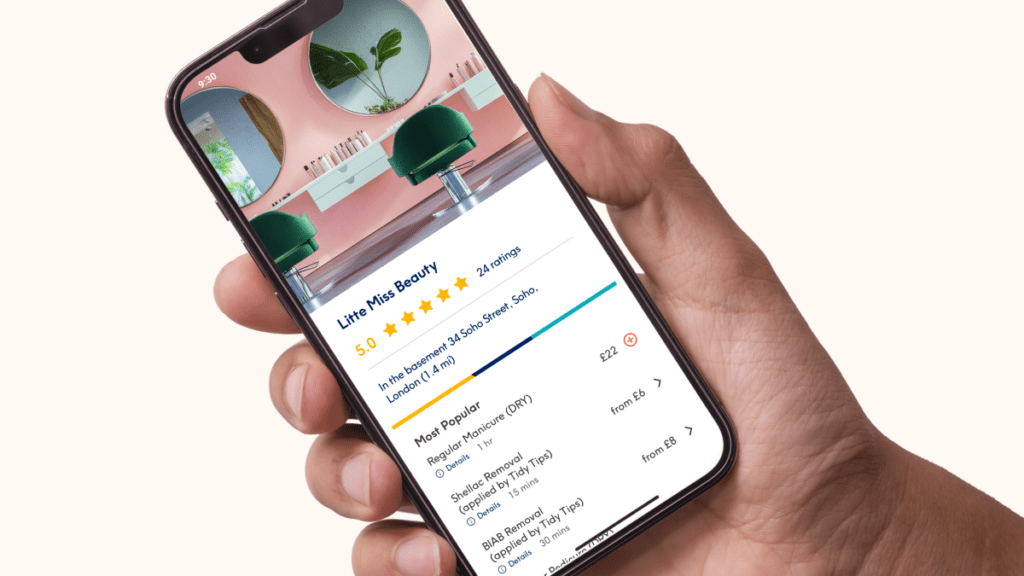
Every treatment on your menu should have a clear description that tells the client exactly what they’re getting, how long it takes, and what makes yours worth booking. Services without descriptions are essentially invisible. Clients rarely book something they don’t fully understand.
There’s a searchability benefit here too. Detailed, well-written descriptions help your profile rank higher in search results, which means more people finding you organically. It’s a small investment of time that pays off in visibility.
How to update your venue description and services in Connect
Review your pricing
Check what other salons in your area are charging for similar services. You don’t need to be the cheapest but you do need to make sense within your local market. If your prices are significantly higher than average with no clear reason (specialised technique, premium products, senior stylist), clients will compare and book elsewhere and you don’t want that.
On the flip side, if you haven’t raised your prices in a while, you might be undercharging. Spring is the perfect moment to adjust – it’s expected, and clients are generally understanding when pricing reflects the quality they’re getting.
Use pricing levels to differentiate between team members based on experience. A junior stylist and a senior colourist offering the same service at the same price confuses clients and undervalues your most experienced staff.

Remove services that aren’t being booked
This is the step many salon owners skip but it makes a real difference. If a treatment hasn’t been booked in months, it’s taking up space on your menu and making it harder for clients to find what they actually want.
A shorter, more curated menu feels more intentional and is easier to navigate. Use Connect to identify your underperforming services by analysing your report data, and don’t be afraid to retire them—you can always bring them back if demand returns.
Identify your underperforming services in Connect | How to remove and re-add services?
Spring 2026 treatments to add to your menu
Clients are more open to trying something new — especially treatments that deliver visible results. Keeping your menu aligned with what they’re currently searching for is one of the most effective ways to win new bookings.
Face
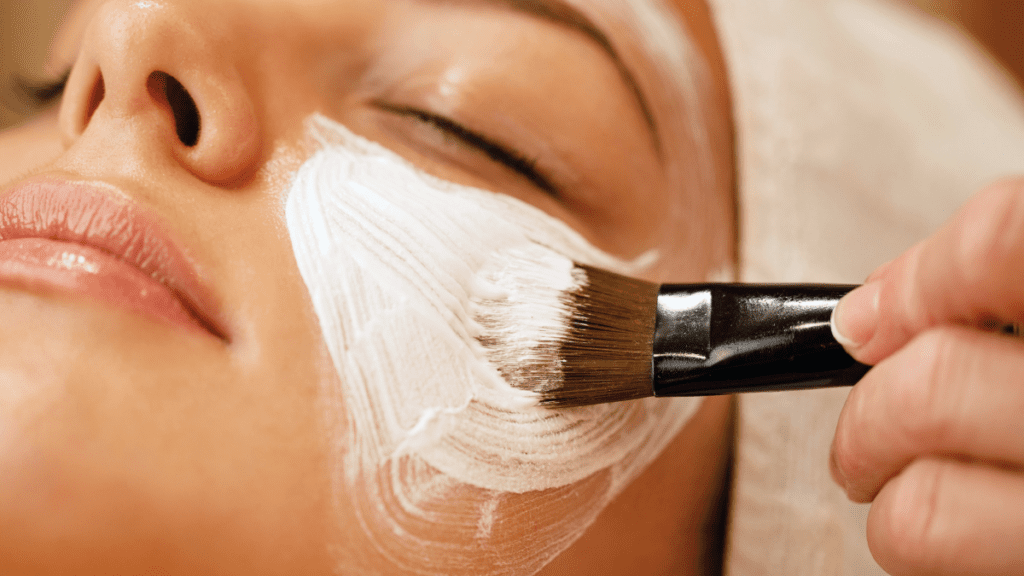
Advanced facials are in high demand, particularly LED light therapy, oxygen facials, and microcurrent treatments. These are results-driven, high-tech services that clients are actively looking for online. Chemical peels and collagen-boosting facials are also performing strongly as clients seek visible, immediate skin improvements for that spring glow.
Hair

Precision cuts are seeing a resurgence; sharp, structured styles that feel intentional. Gloss and toner refreshes are also growing as a standalone service, popular with clients who want to maintain colour vibrancy between full appointments. If you offer these, make sure they’re listed as separate bookable treatments.
Body

Lymphatic drainage massage has moved firmly into the mainstream and for good reason. It’s no longer a niche, post-procedure treatment – clients are booking it as a regular wellness service. IPL and laser treatments continue to climb as more clients invest in longer-term body care and hair removal solutions.
Nails and brows

Brow lamination remains one of the most searched-for treatments on the marketplace (and shows no signs of slowing down). Bespoke nail art, custom designs and hand-painted details are the kind of services that generate word-of-mouth and social media visibility. If your team can do it, make sure it’s visible on your profile.
Create seasonal packages and add-ons
Spring is when clients are open to something new. Packages and add-ons tap into that energy and drive your average booking value up at the same time.
Consider combinations like a chemical peel paired with an LED facial, or a precision cut bundled with a gloss treatment. These aren’t just upsells, they guide clients who want a full refresh but aren’t quite sure where to start. To incentivise bookings, try offering these packages at a slightly lower price than the services would cost individually; everyone loves a better deal.
Add-ons work on the same principle. If someone books a colour appointment, a toner refresh is a natural addition. A brow lamination alongside a facial feels seamless. The key is to make these feel helpful, not pushy. A small addition that genuinely complements what the client is already booking.
Optimise your Treatwell Connect settings

Once your menu is in great shape, make sure the Connect features designed to drive visibility and bookings are switched on and working for you.
Highlight your featured services
You can feature up to 5 services at the top of your menu on your Treatwell profile. These are the first things clients see when they visit your page, so choose strategically.
Kickstart your waiting list
Fully booked Saturdays are a great sign — as long as you’re capturing the demand you’d otherwise miss. Go to Settings > Online bookings in Connect to activate the waiting list. When a cancellation opens up a slot, you can email clients directly or book them in yourself. It’s one of the simplest ways to fill gaps and keep your diary running at full capacity.
How to manage and use the waiting list in Connect
Keep team profiles and portfolios up to date
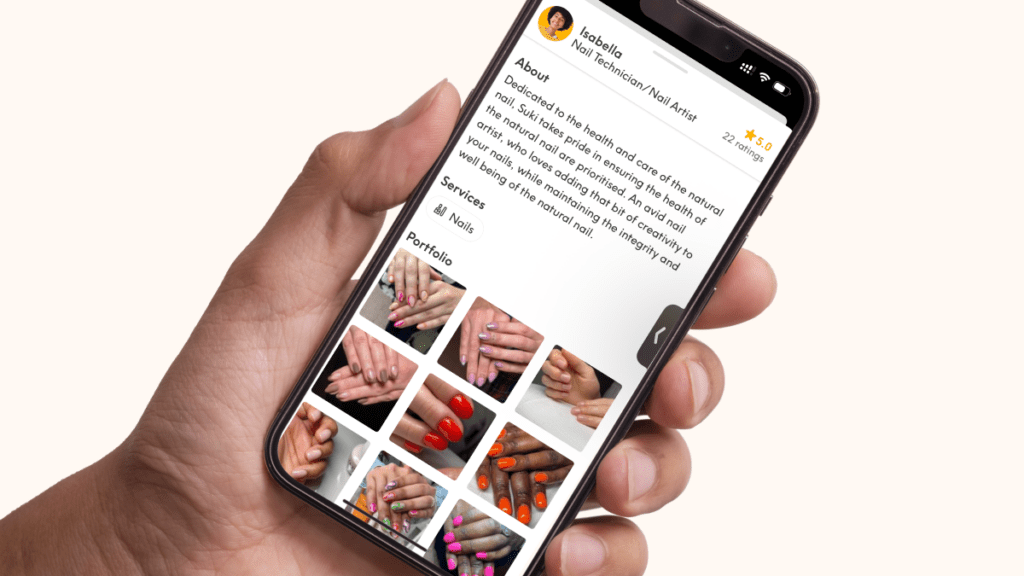
Clients are more likely to book when they can see who they’re booking with. Our data shows that team members with complete profiles – including a photo, bio, and portfolio of recent work – receive more first-time bookings. Make sure every team member who provides services has an up-to-date profile.
Portfolio photos can only be uploaded via the Connect mobile app. Encourage your team to upload their best recent work, tag the relevant services, and refresh their portfolio seasonally.
How to set up your team on Connect | Team profiles and portfolio guide | Why add your team to Connect
Give your full profile a (spring) refresh
Your menu is only part of the picture. When a potential client lands on your Treatwell page, they’re also looking at your description, photos, and basic details. If any of these feel outdated, it can undermine the work you’ve put into your menu.
Review your venue description
Does your description still reflect your salon as it is today? If you’ve added new services, brought in new team members, or updated your space, make sure your description says so. Include your specialisms, the brands and products you use, how to get to your salon (including public transport), and whatever makes your venue unique. A good description builds confidence before a client even looks at your menu.
Update your photos
Current, well-maintained profile photos build trust instantly. If your images are from last year (or older), consider refreshing them with brighter, seasonal shots that reflect the energy of your salon right now. Clients browse visually – a fresh-looking profile gets more clicks.
Double-check your opening hours
If you’re adjusting hours for the busy season, adding availability for bank holidays, or changing shift patterns, make sure it’s reflected in Connect. Outdated opening hours are one of the easiest ways to lose a booking from a client who assumed you weren’t available.

Re-engage clients who haven’t booked in a while
A seasonal menu refresh gives you a natural reason to reconnect with clients who’ve gone quiet. That regular who last booked in November? They haven’t necessarily left – they might just need a reason to come back.
Let them know you’ve updated your menu, added trending treatments, or launched new spring packages. A straightforward message – “We’ve refreshed our menu for spring, take a look at what’s new” – can be enough to prompt a rebooking.
Your waiting list is useful here too. Clients who previously tried to book when you were full are already interested – when a slot opens up, that invitation email lands with impact.
Keep the momentum going
The best-performing salons on Treatwell don’t treat their menu as a set-it-and-forget-it exercise. They review it regularly, adjust pricing with the market, add services that match current demand, and keep their profiles looking sharp.
Spring is where that momentum starts. The demand is building, clients are ready to try something new, and your business is primed to harness the energy. The question is whether your menu is ready to meet it.
Log into Connect and give your menu the spring clean it deserves. New clients, fuller diaries, and a stronger season start here.

Your spring clean checklist
Before the busy season kicks in, run through this quick refresh:
- Categories and subcategories: are your services organised clearly so clients can find what they need in seconds?
- Descriptions: does every treatment have a clear, compelling description?
- Pricing: are your prices competitive and do they reflect team seniority?
- Menu edit: have you retired services that aren’t being booked?
- Trending treatments: have you added spring 2026 services clients are searching for?
- Packages and add-ons: have you created seasonal packages to boost booking value?
- Featured services: are your top 5 highlighted for the season?
- Waiting list: is it switched on to capture demand when you’re fully booked?
- Team portfolio: are profiles complete with photos, bios, and recent work?
- Venue description: does it reflect your salon today?
- Profile photos: are they fresh and current?
- Opening hours: are they accurate in Connect?
- Client re-engagement: have you reached out to lapsed clients about your refresh?
FAQ
How often should I update my service menu?
At least once a season. Trends evolve, pricing shifts and your team grows. A quarterly refresh keeps your menu aligned with what clients are actually searching for and helps you stay competitive.
How do I know which treatments are trending?
Keep an eye on industry publications and what’s performing well in your local area. We share regular trend updates to help you stay ahead of what clients are booking right now.
Can I change my featured services at any time?
Yes – and we’d recommend doing it seasonally. You can highlight up to 5 services to appear at the top of your profile. Rotate them to match current demand.
How do I activate the waiting list?
Go to Settings > Online bookings in Connect and switch it on. Clients can join via your booking widget when their preferred slot is full. You’ll get notified and can email them when space opens up.
Why should I add my full team to Connect?
More bookable team members means more available slots, which means more bookings. Salons with full teams on Connect see higher repeat booking rates. And one in five client reviews mentions their stylist by name – personal profiles make a real difference.
Should I remove services from my menu?
If a treatment hasn’t been booked in months, it’s probably cluttering your menu. Removing underperforming services makes your most popular offerings more visible and your menu easier to navigate.
How do seasonal packages help my bookings?
Packages encourage clients to book complementary treatments together, increasing your average booking value. They also give you something fresh to promote to existing clients who might not have booked in a while.